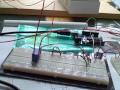
Arduino Relay Driver

I’m describing the Arduino relay driver I made to control my doorbell.

I read a great article from Maurice’s Hobby Robotics site: http://www.glacialwanderer.com/hobbyrobotics/?p=9

and the schematic I used is here: http://www.arduino.cc/playground/uploads/Learning/relays.pdf

View the code at: http://www.amazingknife.com/tag/doorbellcode
Be really careful around high voltage! Stay away from water, wear rubber soled shoes, don’t touch wires that make you part of the circuit, and don’t do any other unsafe activities!

Duration : 0:6:1


[youtube Pk33lLY384o]


Posted

in

by

Comments

17 responses to “Arduino Relay Driver”

  1. RuthJ180 Avatar
    RuthJ180

    @aaronandnicole, I …
    @aaronandnicole, I used relay with part number OJE-SH-105DM. It could handle up to 5 Amps at 240V AC. The data sheet for it says: Rated Coil Voltage = 5 VDC, Nominal Current = 91 mA, Must Operate Voltage = 3.5 VDC. I was able to use it with the Arduino. I don’t think you can add current by having more than one output pin. I think you may need an external power source. The place you bought the relay board from may be able to anwser the question better. I’m always learning more about relays.

  2. aaronandnicole Avatar
    aaronandnicole

    That makes sense. I …
    That makes sense. I have just ordered a arduino mega and a 4 relay board for a differential temp/pump controller system. Did you have any problems with the relay needing to many Many mA. I think the arduion puts out about 40mA and the relays I need consume about 72. Do I wire up 2 output pins at once? Thanks in advance.

  3. RuthJ180 Avatar
    RuthJ180

    @aaronandnicole, I …
    @aaronandnicole, I always take some sample code from the Arduino software and modify it. So I guess it always uses pin 3. According to the Arduino documentation: Each of the 14 digital pins on the Duemilanove can be used as an input or output, using pinMode(), digitalWrite(), and digitalRead() functions. Some pins have specialized functions also, check out the Arduino web site and choose the “Hardware” link. YouTube isn’t letting me post the URL.

  4. aaronandnicole Avatar
    aaronandnicole

    question, why does …
    question, why does everyone use arduino pin 3?

  5. RuthJ180 Avatar
    RuthJ180

    @Froggy19510 Thanks …
    @Froggy19510 Thanks for checking out the video and thanks for the info. I read that it was there to protect against any surges but I didn’t know exactly how they could happen.

  6. Froggy19510 Avatar
    Froggy19510

    Very good video. …
    Very good video. FYI there is always high voltage across the power leads on the relay when it releases. It acts like a solenoid and produces high voltage spikes . That is the reason for the diode.8)

  7. bscoeryan Avatar
    bscoeryan

    i lke it….
    i lke it….

  8. RuthJ180 Avatar
    RuthJ180

    @mrmeval1, thanks …
    @mrmeval1, thanks for the good information about relays. I just used the one that was mentioned in the hobby robotics article.

  9. mrmeval1 Avatar
    mrmeval1

    Thanks for the …
    Thanks for the video. ๐Ÿ™‚

    You can find relays in all kinds of stuff that’s thrown away. The specifications are usually printed on them or you can look up part numbers at octopart or google.

    If you’re using an SSR most can be directly driven by an Arduino digital pin. Do Not pulse CCFL’s more than once every minute or they will die and in some cases shatter the bulb.

  10. mrhaze000 Avatar
    mrhaze000

    i also think its …
    i also think its great for a girl doing advanced electronic work i am also doing work with an arduino and i love it email me sometime well talk mrhaze000@gmail.com hope to hear from u soon\

  11. RuthJ180 Avatar
    RuthJ180

    @ …
    @CleanEdgeProductions: Pretty sure I got it from Mouser. Otherwise it was Jameco

  12. CleanEdgeProductions Avatar
    CleanEdgeProductions

    Where did you get …
    Where did you get your relay if you don’t mind me asking?

  13. transistorbaluba Avatar
    transistorbaluba

    i added the wrong …
    i added the wrong video ๐Ÿ™

  14. RuthJ180 Avatar
    RuthJ180

    That sounds like …
    That sounds like you’ll have some fun projects with the arduino and your car. Download the Arduino IDE. It comes with a lot of great code samples. When I want to program the arduino I just take some code that is already written and just modify it a little to do what I want. If you have specific questions, send me a message and I’ll try to help out.

  15. ellpancha Avatar
    ellpancha

    hi girl, nice …
    hi girl, nice videos, like girls doing electronic things,,,, i doing something similar, i what to control mi car whith micro controler, i have the BS2 by parallax, y just bought my ardunio mega in ebay im waitin for it, but i dont know about arduino code, can u hellp me please? I have some videos on my channel

  16. RuthJ180 Avatar
    RuthJ180

    Cool! I look …
    Cool! I look forward to seeing your shutter control.

  17. transistorbaluba Avatar
    transistorbaluba

    Hi. i’m making a …
    Hi. i’m making a photo camera shutter control on my Arduino. I have a plan to use two relays to control focus, and activate snap shot. when i’m finish i will respond here with it ๐Ÿ˜‰ have a nice day.

Leave a Reply